Artlas · Personal project · 2026
Art lesson aggregator for K–8 art educators
- Product concept
- AI-assisted development
Artlas is a self-initiated personal project. Short for Art Atlas, it is a free lesson-discovery and organization tool for K–8 visual-art teachers. It helps teachers quickly find classroom-ready art resources, evaluate them against real teaching constraints, and save the best-fit lessons into personal collections they can return to later.
The problem
The problem is not a lack of ideas. It is the time required to find and evaluate lessons that fit a specific classroom.
Unlike teachers in subjects with widely adopted, prepackaged curricula, K–8 visual-art teachers often build much of their own instructional program. They turn broad standards into grade-level lessons, assessments, material plans, and adaptations, often across many grades and within limited planning time. Those requirements vary by state, so Artlas reflects New York State as its example.
Each lesson must be creatively meaningful and realistic to run: appropriate for the class period, available supplies, budget, prep and cleanup capacity, accessibility needs, and the practical demands of a busy art room.
Useful resources are scattered across museum sites, blogs, marketplaces, saved links, and personal documents. They are rarely organized by the details that determine whether a lesson will work, such as grade band, duration, prep level, cost, mess level, medium, or artistic process.
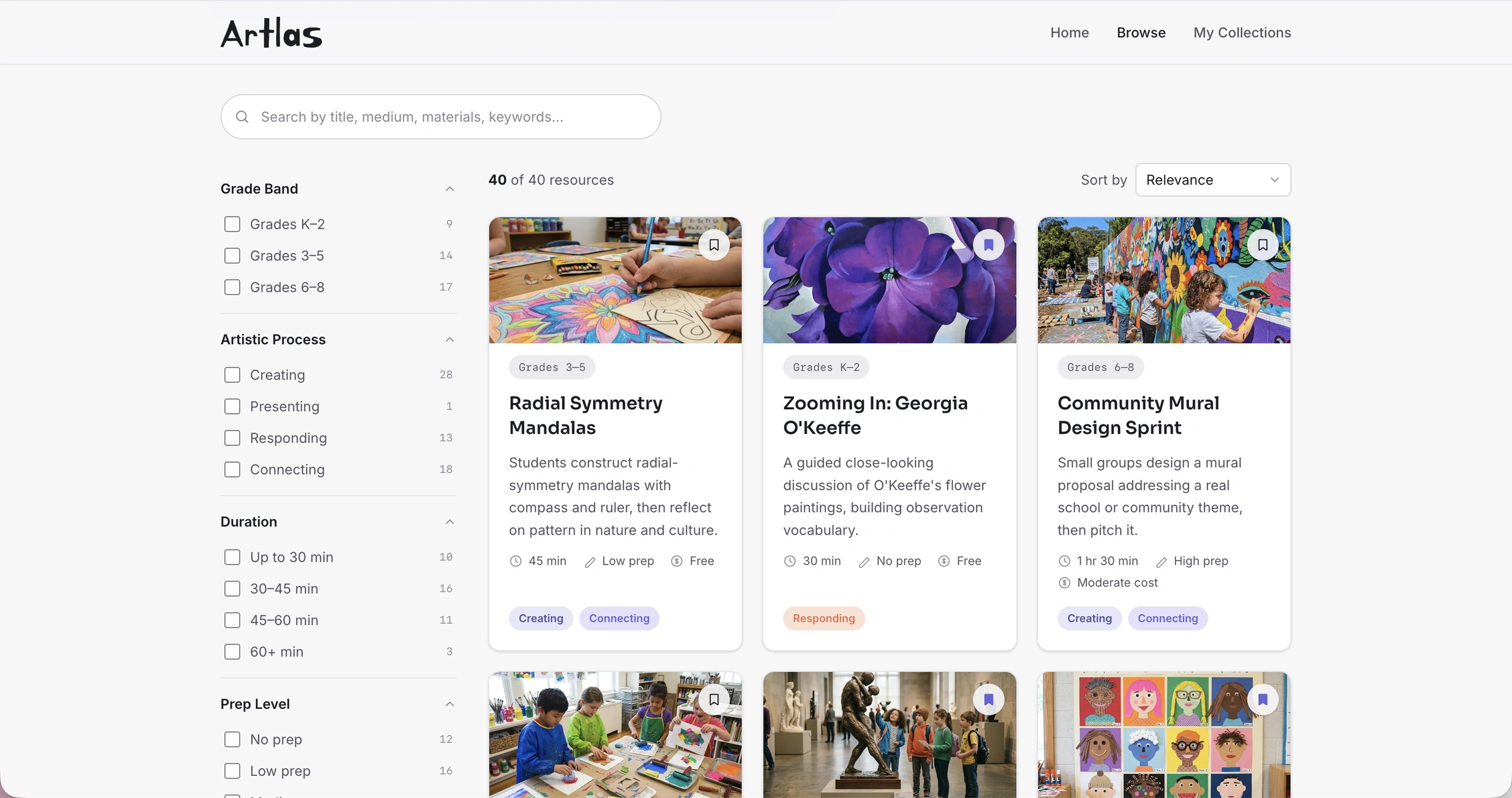
Artlas helps teachers discover classroom-ready resources and save them into a library they can return to.
How it works
A free resource library built around one loop: discover, evaluate, save.
| Step | What a teacher can do |
|---|---|
| Discover | Search and filter a library of art lessons by grade, duration, prep level, cost, medium, and standards alignment |
| Evaluate | Open any lesson for a full classroom-ready breakdown: materials, step-by-step flow, accessibility notes, and assessment ideas |
| Save | Save a lesson into a named collection (“Low-prep sub plans,” “Spring art projects”) or set it aside with a quick save for later, building a working library inside the tool |